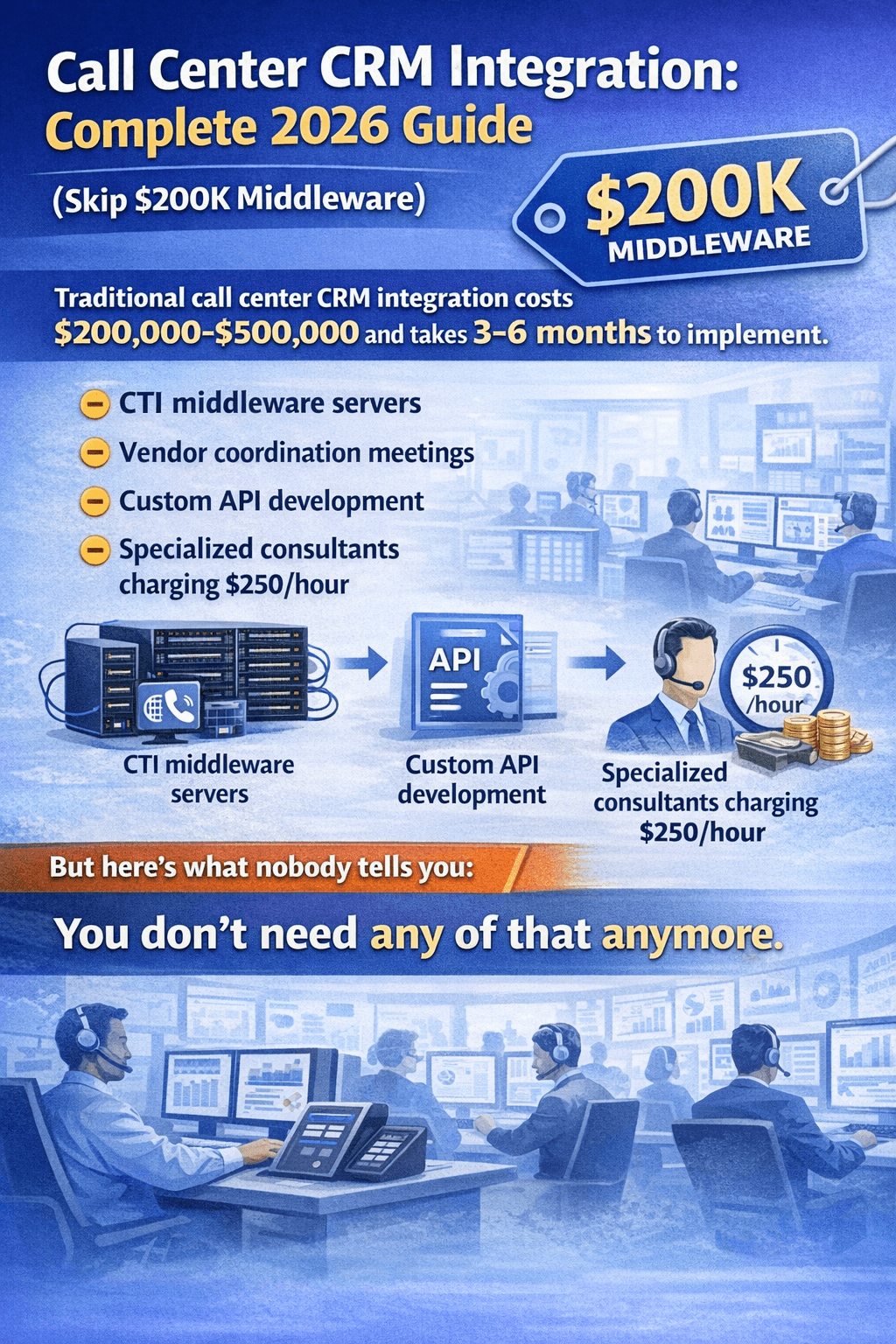
Call Center CRM Integration: Complete 2026 Guide (Skip
$200K Middleware)
Traditional call center CRM integration costs
$200,000-$500,000 and takes 3-6 months to implement. You need CTI
middleware servers, vendor coordination meetings, custom API development, and
specialized consultants who charge $250/hour.
But here's what nobody tells you: You don't need any of
that anymore.
In 2026, modern call center CRM integration happens in three
ways:
- CTI
Middleware (old, expensive, 6-month setup) — Enterprise only
- REST
API Integration (modern, DIY-friendly, 2-4 weeks) — Mid-market
- Pre-Integrated
Solutions (plug-and-play, same day) — SMBs & startups ✅
This guide shows you exactly how to integrate your call
center with CRM systems like Salesforce, HubSpot, Zoho, or EspoCRM — without
breaking the bank or hiring a team of developers.
Quick Comparison Table:
|
Integration Method |
Setup Time |
Cost |
Best For |
Technical Skill |
|
Intell Call (Pre-Integrated) |
5 minutes |
$20/user/mo |
SMBs, startups |
None required |
|
REST API (DIY) |
2-4 weeks |
$0-5K |
Tech teams |
Developer needed |
|
CTI Middleware (Legacy) |
3-6 months |
$200K-500K |
Enterprise |
Consultant required |
What is Call Center CRM Integration?
Call center CRM integration connects your telephony system
(phone software) with your customer relationship management database so that:
- When
a customer calls, their record pops up automatically (screen pop)
- Every
call is logged without manual data entry
- Agents
can dial directly from the CRM (click-to-call)
- Call
recordings attach to customer profiles automatically
- Real-time
analytics track agent performance and customer interactions
Why Integration Matters
Without integration, your agents:
- Switch
between 5+ different screens per call
- Manually
copy phone numbers from CRM to dialer
- Forget
to log calls (lost data = lost revenue)
- Can't
see customer history during live calls
- Waste
2-3 hours per day on administrative tasks
With integration:
- Click
contact name → Phone dials instantly
- Customer
record appears before agent answers
- Call
details save automatically
- Recordings,
notes, and follow-ups sync in real-time
- Result:
40% more calls, 25% higher conversion rates
The 3 Types of Call Center CRM Integration (2026)
Method 1: CTI Middleware (Legacy Approach)
What it is: Computer Telephony Integration (CTI)
middleware sits between your phone system and CRM, translating telephony events
into CRM-readable data.
Typical vendors: Genesys, Avaya, Cisco
Cost breakdown:
- Software
licenses: $50K-150K
- Implementation:
$100K-300K
- Annual
maintenance: $50K-100K
- Total
year 1: $200K-550K
Setup time: 3-6 months
When to use it:
- You're
an enterprise (500+ agents)
- You
already have on-premise PBX infrastructure
- You
need complex call routing and workforce management
- You
have dedicated IT staff and budget
When NOT to use it:
- You're
a startup or SMB (under 100 agents)
- You
use cloud-based systems
- You
need fast deployment
- Your
budget is under $100K
Method 2: REST API Integration (Modern DIY)
What it is: Direct connection between your call
center software and CRM using modern web APIs (no middleware required).
How it works:
- Set
up API keys in your CRM (Salesforce, HubSpot, Zoho)
- Configure
webhooks in your phone system (Twilio, RingCentral)
- Build
custom integration logic (or use low-code tools like Zapier, Make.com)
- Test
and deploy
Cost breakdown:
- Developer
time: $0-5K (if you have in-house dev)
- Third-party
tools (Zapier): $0-100/month
- API
usage fees: Usually included
- Total:
$0-5,000 one-time
Setup time: 2-4 weeks
Technical requirements:
- Basic
API knowledge (OAuth 2.0, REST endpoints)
- Access
to CRM admin panel
- Understanding
of webhooks and JSON
Best platforms for REST API integration:
- Salesforce
(excellent API documentation)
- HubSpot
(free CRM tier with full API access)
- Zoho
CRM (affordable with robust API)
- Freshdesk
(support-focused with call center features)
Example workflow (Salesforce + Twilio):
1. Customer calls → Twilio receives call
2. Twilio webhook → Sends caller ID to Salesforce API
3. Salesforce searches → Finds customer record
4. Screen pop → Agent sees customer info before answering
5. Call ends → Twilio posts call recording to Salesforce
Method 3: Pre-Integrated Solutions (Fastest &
Cheapest)
What it is: All-in-one platforms with call center +
CRM built into a single system.
How it works:
- Sign
up → Phone system and CRM are already connected
- Import
contacts → Start calling within hours
- Everything
syncs automatically (calls, recordings, notes)
Examples:
- SMART
ERP Suite ($20/user/mo) — FreePBX + EspoCRM built-in
- CloudTalk
($25/user/mo) — Cloud telephony + lightweight CRM
- JustCall
($25/user/mo) — Dialer + integrations with 20+ CRMs
- Harmonix
AI (add-on) — Installs inside existing CRM
Cost breakdown (Intell Call example):
- Setup:
$0 (self-service onboarding)
- Monthly
cost: $20/user
- 10
agents = $200/month
- Year
1 total: $2,400 (vs $200K+ for CTI middleware)
Setup time: Same day (often 5-30 minutes)
Best for:
- SMBs
(2-50 agents)
- Startups
with limited IT resources
- Sales
teams who need speed over complexity
- Anyone
who wants to avoid 6-month implementations
How to Choose the Right Integration Method
Decision Tree
Are you an enterprise with 500+ agents and $500K+ budget?
→ CTI Middleware (Genesys, Five9 + Salesforce)
Do you have an in-house developer and 2-4 weeks for
setup? → REST API Integration (Salesforce API + Twilio/RingCentral)
Do you need to start calling TODAY with zero technical
setup? → Pre-Integrated Solution (Intell Call, CloudTalk,
JustCall)
Are you using Salesforce, HubSpot, or Zoho CRM already?
→ REST API Integration (they have excellent documentation)
Do you need white-label or multi-tenant architecture?
→ Intell Call (fully customizable, white-label ready)
Step-by-Step: 3 Integration Tutorials
Option 1: Intell Call (5-Minute Setup)
What you get:
- FreePBX
(VoIP phone system)
- EspoCRM
(full-featured CRM)
- Automatic
screen pops
- Click-to-call
from contact records
- Call
recording and logging
- Multi-language
support (English, Arabic, Urdu)
Setup process:
Step 1: Sign up at intellcall.com/trial
Step 2: System auto-provisions your instance
- FreePBX
server created
- EspoCRM
database initialized
- Integration
pre-configured
Step 3: Import your contacts
CRM → Contacts → Import CSV
Upload your existing customer list
Map fields (Name, Phone, Email)
Step 4: Configure your SIP phone or softphone
Download: Zoiper, MicroSIP, or any SIP client
Enter credentials from Intell Call dashboard
Test call → Your number appears in CRM
Step 5: Start calling
CRM → Open contact record
Click phone number
Phone dials automatically
Call details log in real-time
Total time: 5-30 minutes (depending on contact list
size)
Cost: $20/user/month (includes everything — no hidden
fees)
Try it free: 30-day
trial, no credit card
Option 2: REST API Integration (Salesforce + Twilio)
Prerequisites:
- Salesforce
account (any tier)
- Twilio
account (pay-as-you-go)
- Developer
with API experience (or use this guide)
Setup process:
Step 1: Set up Twilio phone number
1. Create Twilio account
2. Buy phone number ($1/month)
3. Configure voice webhook URL
Step 2: Create Salesforce connected app
Salesforce → Setup → App Manager → New Connected App
Enable OAuth Settings
Callback URL: https://your-server.com/callback
Selected scopes: Full access (for testing), refine later
Step 3: Build integration logic
You can use:
- Zapier
(no-code, $20/month) — easiest
- Make.com
(low-code, $9/month)
- Custom
Node.js script (free, requires developer)
Example Zapier workflow:
Trigger: New call in Twilio
Action 1: Search Salesforce for contact by phone number
Action 2: If found → Open contact record (screen pop)
Action 3: If not found → Create new lead
Action 4: After call → Log call activity in Salesforce
Action 5: Attach call recording to contact
Step 4: Configure screen pop
When call comes in:
1. Twilio webhook fires
2. Zapier searches Salesforce
3. Salesforce contact URL returned
4. Browser auto-opens contact record
(Requires browser extension or desktop app)
Step 5: Test end-to-end
1. Make test call to your Twilio number
2. Verify contact record appears
3. Check call logging after disconnect
4. Confirm recording attached
Total cost:
- Development
time: 10-20 hours ($0 if DIY, $2K-5K if outsourced)
- Monthly:
Twilio ($1 number + usage) + Zapier ($20)
- Ongoing:
~$25-50/month (scales with call volume)
Setup time: 2-4 weeks
Option 3: CTI Middleware (Enterprise - Salesforce +
Five9)
When to use this: Only if you're a large call center
(200+ agents) with complex needs and enterprise budget.
Setup process:
Step 1: Engage vendors (Week 1-2)
Contact Five9 sales
Contact Salesforce Enterprise team
Get quotes (expect $200K-500K+)
Sign contracts (12-month minimum)
Step 2: Requirements gathering (Week 3-4)
Map current call flows
Document CRM data structure
Define screen pop requirements
Plan workforce management integration
Step 3: Infrastructure setup (Week 5-8)
Install Five9 CTI middleware
Configure Salesforce CTI adapter
Set up VPN/networking
Security audits and compliance checks
Step 4: Integration development (Week 9-16)
Build custom CTI connectors
Configure automatic call distribution (ACD)
Set up IVR integration
Develop custom screen pop logic
Build reporting dashboards
Step 5: Testing & training (Week 17-20)
UAT testing with pilot group
Agent training (2-3 days)
Supervisor training (1 week)
Fix bugs and refine workflows
Step 6: Go-live (Week 21-24)
Phased rollout by team/department
24/7 support during launch
Monitor and optimize
Total cost:
- Software:
$50K-150K
- Implementation:
$100K-300K
- Training:
$20K-50K
- Year
1: $170K-500K
Setup time: 3-6 months
Verdict: Only worth it for enterprises. SMBs should
use pre-integrated solutions.
Top 15 Call Center CRM Systems (2026 Comparison)
1. Intell Call — Best Pre-Integrated Solution for
SMBs
Price: $20/user/month
Setup time: 5 minutes
Best for: Teams of 2-50 agents who need CRM + VoIP in one platform
What's Included
- FreePBX
telephony (unlimited extensions)
- EspoCRM
(full contact/lead/opportunity management)
- Automatic
screen pops
- Click-to-call
from any contact field
- Call
recording and transcription
- Multi-tenant
architecture (for agencies/resellers)
- White-label
options
- API
access for custom integrations
Real-World Use Case
A 10-agent call center in Pakistan was using:
- Zoho
CRM: $70/user/month = $700
- RingCentral
VoIP: $30/user/month = $300
- Zapier
for integration: $50/month
- Total:
$1,050/month
They switched to Intell Call:
- Cost:
$200/month ($20 × 10 users)
- Savings:
$850/month = $10,200/year
Pros & Cons
✅ Pros:
- Lowest
total cost of ownership
- Built-in
telephony (no separate VoIP subscription)
- White-label
ready (rebrand for clients)
- Multi-language
support
- Full
API access
- Self-hosted
option available
❌ Cons:
- Smaller
brand than Salesforce/HubSpot
- Less
"out of the box" than CloudTalk
- Best
for technical users (though setup is simple)
- Limited
AI features (no conversation intelligence yet)
Best for:
- Call
centers in emerging markets (Pakistan, India, Philippines)
- Agencies
offering white-label CRM services
- Teams
who want full control and customization
Try Intell Call
Suite free for 30 days
2. HubSpot + CloudTalk — Best for Growing Sales Teams
Price: HubSpot (free-$45/user) + CloudTalk ($25/user)
= $25-70/user/month
Setup time: 1-2 hours
How It Works
- Use
HubSpot's free CRM (or paid Sales Hub)
- Add
CloudTalk integration (native connector)
- Click-to-call
from HubSpot contact records
- Calls
log automatically
Best For
- B2B
sales teams (5-30 reps)
- Companies
already using HubSpot
- Teams
that need marketing automation + CRM + calling
Pros: Native integration, excellent UI, strong
reporting
Cons: More expensive than Intell Call, requires two subscriptions
3. Salesforce Service Cloud + JustCall
Price: Salesforce ($25-75/user) + JustCall ($25/user)
= $50-100/user/month
Setup time: 1 day
What You Get
- World's
most powerful CRM (Salesforce)
- Cloud-based
calling (JustCall)
- SMS
automation
- Call
analytics
- Omnichannel
routing
Best For
- Mid-market
companies (50-200 employees)
- Complex
sales processes
- Teams
with dedicated Salesforce admin
Pros: Highly customizable, enterprise-grade
Cons: Expensive, steep learning curve, requires admin
4. Zoho CRM + Zoho PhoneBridge
Price: Zoho CRM ($14-52/user) + PhoneBridge
($0-20/user) = $14-72/user/month
Setup time: 30 minutes
Native Integration
- Zoho's
own telephony add-on
- No
third-party tools needed
- Click-to-call,
screen pops, call logging
- Works
with Twilio, RingCentral, or Zoho's own VoIP
Best For
- Budget-conscious
teams
- Companies
already in Zoho ecosystem
- International
teams (Zoho has strong presence in India, Middle East)
Pros: Affordable, all-in-one Zoho suite
Cons: PhoneBridge UI is clunky, limited VoIP providers
5. Freshdesk Contact Center (Freshcaller)
Price: $15-79/agent/month
Setup time: 1 hour
What's Different
- Built
for support teams (not sales)
- Ticketing
system + phone system integrated
- Multi-level
IVR
- Real-time
call monitoring
- Integrates
with Freshworks CRM
Best For
- Customer
support centers
- Help
desks
- Companies
that need ticketing + calling
Pros: Support-focused features, affordable
Cons: Not ideal for sales teams, limited compared to Salesforce
6. Five9 + Salesforce (Enterprise Solution)
Price: $100-175/agent/month (Five9) + $75-150/user
(Salesforce) = $175-325/user/month
Setup time: 3-6 months
Enterprise Features
- Advanced
IVR
- Predictive
dialer
- Workforce
management
- AI-powered
analytics
- Omnichannel
(voice, email, chat, social)
Best For
- Large
call centers (200+ agents)
- Enterprises
with complex routing
- Companies
with dedicated IT/ops teams
Pros: Most powerful, fully featured
Cons: Extremely expensive, long implementation
7. 3CX + Any CRM (DIY Integration)
Price: 3CX ($0-$6/user/month) + CRM cost
Setup time: 1-2 weeks (technical setup required)
Why 3CX?
- Open-source
PBX
- Free
for up to 8 users
- Pre-built
integrations: Salesforce, Zoho, HubSpot, Freshdesk, Zendesk
- Self-hosted
or cloud
Best For
- Tech-savvy
teams
- Companies
wanting lowest cost
- Teams
with IT staff
Pros: Free/cheap, highly customizable
Cons: Requires technical knowledge, DIY setup
8. RingCentral + Salesforce
Price: RingCentral ($20-50/user) + Salesforce
($25-150/user) = $45-200/user/month
Setup time: 2-4 hours
Key Features
- Native
Salesforce integration
- Click-to-call,
screen pops
- SMS
from Salesforce
- Call
analytics in Salesforce reports
Best For
- Mid-market
Salesforce users
- Teams
that need reliable telephony
Pros: Rock-solid reliability, excellent support
Cons: Expensive, requires both subscriptions
9. Pipedrive + CloudTalk
Price: Pipedrive ($14-99/user) + CloudTalk ($25/user)
= $39-124/user/month
Setup time: 1 hour
Sales-Focused
- Pipeline
management
- Click-to-call
from deals
- Automatic
activity logging
- Power
dialer for cold outreach
Best For
- Sales
teams (5-50 reps)
- Companies
that love visual pipelines
- Teams
doing high-volume outbound
Pros: Beautiful UI, easy to use
Cons: Limited for support use cases
10. Harmonix AI (CRM Enhancement Layer)
Price: Custom (typically $15-30/user/month as add-on)
Setup time: Minutes (browser extension)
Unique Approach
- Doesn't
replace your CRM
- Enhances
it with unified communication
- Installs
inside Salesforce, HubSpot, Zoho, custom CRMs
- Unifies
calls, emails, WhatsApp, LinkedIn
Best For
- Teams
happy with current CRM
- Need
better communication tools
- Want
AI call analysis
Pros: Works with any CRM, AI-powered insights
Cons: Add-on cost, newer player
11. NICE CXone (Enterprise Contact Center)
Price: $80-150/user/month
Setup time: 2-4 months
Enterprise-Grade
- Omnichannel
routing
- Workforce
optimization
- Quality
management
- Advanced
analytics
Best For
- Large
enterprises (500+ agents)
- Regulated
industries (finance, healthcare)
Pros: Enterprise features, compliance-ready
Cons: Very expensive, complex
12. Genesys Cloud + Salesforce
Price: $75-150/user/month (Genesys) + Salesforce = $100-300/user/month
Setup time: 3-6 months
When to Use
- 1,000+
agent operations
- Global
call centers
- Omnichannel
at scale
Pros: Best for mega-scale operations
Cons: Overkill for SMBs, massive investment
13. Twilio Flex (Build Your Own)
Price: $1/user/hour (pay-as-you-go) + developer costs
Setup time: 1-3 months (development required)
DIY Platform
- Build
custom call center
- Unlimited
flexibility
- Integrate
with any CRM via APIs
Best For
- Tech
companies
- Unique
requirements
- In-house
dev teams
Pros: Fully customizable
Cons: Requires developers, ongoing maintenance
14. Zendesk Talk + Zendesk Support
Price: $49-99/agent/month
Setup time: 1 hour
Support-Centric
- Ticketing
+ phone in one
- Screen
pops show ticket history
- Call-to-ticket
conversion
Best For
- Support
centers
- Companies
using Zendesk
Pros: Tight support integration
Cons: Expensive for calling alone
15. Nextiva + HubSpot
Price: Nextiva ($18-57/user) + HubSpot = $18-102/user/month
Setup time: 2 hours
Unified Communications
- VoIP
+ video + team chat
- HubSpot
integration
- Business
phone system + CRM calling
Best For
- Teams
wanting unified comms
- Mid-market
companies
Pros: All-in-one communications
Cons: More expensive than Intell Call
Call Center CRM Integration Features (Must-Haves)
1. Screen Pop (Automatic Contact Display)
What it is: When a customer calls, their CRM record
appears on the agent's screen before they answer.
Why it matters:
- Agent
sees customer name, history, recent orders
- Personalizes
greeting ("Hi Sarah, calling about your Feb 5 order?")
- Reduces
average handle time by 20-30%
How it works:
- Caller
ID captured by phone system
- CRM
searches for matching phone number
- Contact
record opens automatically
- Agent
answers with full context
Tools with best screen pops:
- SMART
ERP Suite (built-in)
- Salesforce
+ CTI adapters
- HubSpot
+ CloudTalk
- Zoho
CRM + PhoneBridge
2. Click-to-Call (Outbound Dialing)
What it is: Click a phone number anywhere in your CRM
→ Phone dials instantly.
Why it matters:
- 40%
more calls per day (no manual dialing)
- Eliminates
misdialed numbers
- Faster
follow-up = higher conversion
Best implementations:
- SMART
ERP Suite (click any phone field)
- Salesforce
+ JustCall (SoftPhone widget)
- HubSpot
(native calling)
3. Automatic Call Logging
What it is: Every call detail saved to CRM without
agent typing anything.
Data logged:
- Call
date/time
- Duration
- Outcome
(answered, voicemail, busy)
- Recording
(if enabled)
- Notes
(if agent adds)
Why it matters:
- Saves
15-20 minutes per agent per day
- Complete
customer history
- Accurate
reporting
- Compliance
(call records for disputes)
4. Call Recording & Transcription
What it is: Calls recorded and optionally transcribed
to text.
Use cases:
- Quality
assurance
- Training
new agents
- Dispute
resolution
- Sales
coaching
Tools with built-in recording:
- SMART
ERP Suite (FreePBX recordings)
- Five9
- Genesys
- NICE
CXone
Transcription options:
- Harmonix
AI (real-time transcription + AI insights)
- Rev.ai
integration
- Otter.ai
integration
5. Real-Time Analytics
What it is: Live dashboards showing call metrics.
Key metrics:
- Calls
answered/missed
- Average
handle time
- Call
abandonment rate
- Agent
status (available, on call, break)
- Queue
wait times
Best analytics platforms:
- SMART
ERP Suite (FreePBX reports + CRM dashboard)
- Five9
(enterprise-grade analytics)
- Salesforce
(custom reports)
- HubSpot
(sales activity tracking)
6. Multi-Channel Support
What it is: Handle phone, email, chat, SMS, WhatsApp
from one interface.
Why it matters:
- Customers
use multiple channels
- Unified
agent experience
- Complete
conversation history
Best omnichannel platforms:
- Harmonix
AI (WhatsApp, LinkedIn, email, calls unified)
- Five9
+ Salesforce
- Genesys
Cloud
- Zendesk
(voice + tickets + chat)
Common Call Center CRM Integration Challenges (And
Solutions)
Challenge 1: Data Sync Issues
Problem: CRM and phone system show different
information (out of sync).
Causes:
- One-way
sync only (calls log to CRM but not vice versa)
- API
rate limits exceeded
- Incorrect
field mapping
Solutions:
- Use two-way
sync (bi-directional)
- Choose
platforms with real-time APIs (not batch)
- Test
thoroughly before go-live
- SMART
ERP Suite: Built-in sync (no configuration needed)
Challenge 2: Poor Call Quality
Problem: Choppy audio, dropped calls, latency.
Causes:
- Insufficient
bandwidth
- Poor
VoIP codec
- Network
congestion
Solutions:
- Prioritize
VoIP traffic (QoS settings)
- Use
G.722 or Opus codec (better quality)
- Dedicated
internet for call center
- SMART
ERP Suite: Optimized FreePBX config for quality
Challenge 3: Agent Adoption Resistance
Problem: Agents refuse to use new system, revert to
old ways.
Causes:
- Too
complex UI
- Requires
too many clicks
- Slower
than old process
Solutions:
- Choose
simple, intuitive tools
- Train
thoroughly (2-3 day onboarding)
- Show
time savings (real metrics)
- Gamify
(leaderboards, rewards)
- SMART
ERP Suite: Minimal learning curve (familiar web UI)
Challenge 4: High Setup Costs
Problem: $200K+ implementation quotes from vendors.
Causes:
- CTI
middleware requirements
- Custom
development needed
- Consultant
fees
Solutions:
- Skip
middleware → Use REST API integration
- Or
choose pre-integrated solution (Intell Call)
- DIY
with Zapier/Make.com ($20/month)
- Savings:
$200K → $2K (100x reduction)
Challenge 5: Compatibility Problems
Problem: "Your CRM doesn't work with our phone
system."
Causes:
- Proprietary
systems
- No
API access
- Legacy
on-premise infrastructure
Solutions:
- Choose
cloud-based, API-first platforms
- Use
integration middleware (Zapier, Tray.io)
- Migrate
to modern CRM (HubSpot, Zoho, EspoCRM)
- SMART
ERP Suite: Open APIs, works with any system
Call Center CRM Integration ROI Calculator
Before Integration (Manual Process)
10-agent call center:
- Agents
spend 2 hours/day on manual tasks (copying numbers, logging calls)
- 2
hours × 10 agents = 20 hours wasted daily
- 20
hours × $15/hour = $300/day waste
- $300
× 22 working days = $6,600/month
Lost revenue from inefficiency:
- Agents
make 20% fewer calls (due to manual work)
- Fewer
calls = fewer sales
- Estimated
lost revenue: $10K-20K/month
Total monthly cost of NOT integrating: $16,600-26,600
After Integration (Automated)
Intell Call example ($200/month for 10 users):
Time savings:
- 2
hours/day × 10 agents = 20 hours saved
- Productivity
gain: $6,600/month
Revenue increase:
- 40%
more calls (from click-to-dial)
- 25%
higher conversion (from screen pops giving context)
- Additional
revenue: $15K-30K/month (conservative)
Net benefit:
- Savings:
$6,600
- Revenue:
$15,000
- Cost:
-$200
- Net
gain: $21,400/month
ROI: 10,700% (pay $200, gain $21,400)
Break-Even Analysis
Different integration costs:
|
Solution |
Monthly Cost |
Break-Even Point |
|
Intell Call ($20/user × 10) |
$200 |
1 day |
|
REST API DIY (Zapier) |
$50 |
1 day |
|
CloudTalk + HubSpot ($70/user × 10) |
$700 |
3 days |
|
Five9 + Salesforce ($250/user × 10) |
$2,500 |
2 weeks |
|
CTI Middleware (amortized) |
$15,000 |
2 months |
Takeaway: Even expensive solutions pay for themselves
quickly due to massive productivity gains.
Best Practices for Call Center CRM Integration
1. Start with Requirements, Not Tools
Wrong approach: "Let's buy Salesforce because
it's the best."
Right approach:
- What
problems are we solving? (manual logging, no screen pops)
- What's
our budget? ($200/month vs $20,000/month)
- How
many agents? (5 vs 500)
- What
features are must-haves? (click-to-call, recording)
- Then
choose tools that fit
2. Pilot with Small Group First
Best practice:
- Start
with 3-5 agents (power users)
- Test
for 2 weeks
- Gather
feedback
- Fix
issues
- Then
roll out to full team
Why: Easier to troubleshoot with small group.
Prevents company-wide disruption.
3. Clean Your Data Before Integration
Problem: Garbage in = garbage out.
Before integrating:
- Deduplicate
contacts (merge duplicates)
- Standardize
phone number format (+1-555-123-4567)
- Fill
in missing data
- Archive
old/inactive records
Tools:
- SMART
ERP Suite has built-in deduplication
- Salesforce
has duplicate management
- Manual
review for small databases
4. Train Thoroughly (Don't Skip This)
Minimum training:
- 2-hour
initial training (demo + hands-on)
- 1-week
sandbox practice
- Daily
check-ins first week
- Weekly
Q&A sessions first month
Training topics:
- How
to use click-to-call
- Reading
screen pops
- Logging
call notes
- Using
power dialer (if applicable)
- Running
reports
5. Monitor & Optimize Continuously
Weekly metrics to track:
- Call
volume (are we making more calls?)
- Average
handle time (decreasing?)
- Data
quality (are calls being logged?)
- Agent
satisfaction (are they using it?)
Monthly:
- Review
dashboards
- Agent
feedback sessions
- Process
improvements
Frequently Asked Questions
What's the cheapest way to integrate call center with
CRM?
Intell Call at $20/user/month is the most
affordable all-in-one solution. For DIY, use Zapier ($20/month) + Twilio
(pay-as-you-go).
Free option: 3CX (free up to 8 users) + free CRM
(HubSpot, EspoCRM).
Do I need a developer to integrate call center and CRM?
No, if you choose:
- Pre-integrated
solutions (Intell Call, CloudTalk)
- Low-code
tools (Zapier, Make.com)
- Platforms
with native integrations (HubSpot + CloudTalk)
Yes, if you choose:
- Custom
REST API integration
- On-premise
CTI middleware
- Twilio
Flex (fully custom)
How long does call center CRM integration take?
Same day: Intell Call, CloudTalk, JustCall
(pre-integrated)
1-2 weeks: REST API with Zapier/Make.com
2-4 weeks: REST API custom development
3-6 months: CTI middleware (enterprise)
What's the difference between CTI and REST API
integration?
CTI (Computer Telephony Integration):
- Old
approach (1990s-2000s technology)
- Requires
middleware servers
- Expensive
($200K+)
- 3-6
month setup
- Enterprise
only
REST API:
- Modern
approach (2010s-2020s)
- Direct
cloud-to-cloud connection
- Affordable
($0-5K)
- 2-4
week setup
- Works
for any size
Can I integrate Intell Call with Salesforce or
HubSpot?
Yes, via REST API. Intell Call has full API
access:
Option 1: Use Intell Call's built-in EspoCRM
(recommended) Option 2: Integrate Intell Call (FreePBX) with external CRM
via API Option 3: Use Zapier to connect Intell Call + Salesforce/HubSpot
Most customers use Option 1 (built-in CRM) because it's
simpler and cheaper.
What CRM works best with call centers?
For SMBs (2-50 agents):
- SMART
ERP Suite (built-in, $20/user)
- HubSpot
(free-$45/user)
- Zoho
CRM ($14-52/user)
For mid-market (50-200 agents):
- Salesforce
($25-150/user)
- Pipedrive
($14-99/user)
- Freshdesk
($15-79/agent)
For enterprise (200+ agents):
- Salesforce
Service Cloud ($75-150/user)
- Microsoft
Dynamics 365 ($65-160/user)
- ServiceNow
($100+/user)
Is cloud-based better than on-premise for call centers?
Cloud-based is better for 95% of use cases:
Pros:
- Faster
setup (hours vs months)
- No
hardware to buy
- Automatic
updates
- Remote
work friendly
- Lower
upfront cost
Cons:
- Recurring
monthly fees
- Internet-dependent
- Less
customization (usually)
On-premise only makes sense for:
- Very
large enterprises (1,000+ agents)
- Regulated
industries (government, defense)
- Companies
with existing PBX infrastructure
How secure is call center CRM integration?
Security features to look for:
- Encryption:
TLS/SSL for data in transit
- Authentication:
OAuth 2.0, API keys
- Compliance:
GDPR, HIPAA (if applicable)
- Call
recording encryption: End-to-end
- Access
controls: Role-based permissions
Most secure platforms:
- Salesforce
(SOC 2, ISO 27001)
- SMART
ERP Suite (self-hosted option for max control)
- Five9
(HIPAA compliant)
Can I use call center CRM integration for outbound sales?
Yes, especially with power dialer features:
Best tools for outbound:
- SMART
ERP Suite (click-to-call + custom dialing campaigns)
- Pipedrive
+ CloudTalk (power dialer)
- Salesforce
+ JustCall (predictive dialer)
- Close.com
(built-in power dialer)
Key features:
- Automatic
list dialing
- Skip
voicemails/busy signals
- Local
presence (show local caller ID)
- Call
recording for coaching
What's the ROI of call center CRM integration?
Typical ROI:
- Time
saved: 2-3 hours per agent per day
- More
calls: 40% increase in call volume
- Higher
conversion: 25% from better context (screen pops)
Example (10 agents):
- Cost:
$200/month (Intell Call)
- Benefit:
$21,000/month (productivity + revenue)
- ROI:
10,500%
Break-even: Usually 1-7 days (even for expensive
solutions)
The Bottom Line: Which Integration Method Should You
Choose?
Choose Intell Call If...
✅ You're a small-to-mid-sized
call center (2-50 agents)
✅
You want CRM + VoIP in one platform
✅
Your budget is under $1,000/month
✅
You need to start calling TODAY
✅
You want white-label or multi-tenant architecture
✅
You value full control and customization
Try Intell Call
Suite free for 30 days →
Choose REST API Integration If...
✅ You're already committed to a
specific CRM (Salesforce, HubSpot)
✅
You have in-house developers or budget for outsourced dev
✅
You need custom workflows unique to your business
✅
You have 2-4 weeks for setup
Best for: Tech-forward mid-market companies
Choose CTI Middleware If...
✅ You're a large enterprise (200+
agents)
✅
You have complex routing requirements
✅
You have $200K+ budget and 6 months timeline
✅
You need compliance for regulated industries
Best for: Fortune 500 companies, large BPOs
Ready to Integrate Your Call Center with CRM?
Stop wasting 2-3 hours per agent per day on manual work. Get
click-to-call, screen pops, and automatic call logging in one affordable
platform.
Try Intell Call Free for 30 Days
✅ Built-in FreePBX VoIP system
✅
Full-featured EspoCRM
✅
Automatic screen pops
✅
Click-to-call from contact records
✅
Call recording and analytics
✅
White-label & multi-tenant ready
No credit card required. Setup in under 30 minutes.
More Resources
- How to Set Up
FreePBX with Intell Call
- Real
Estate Lead Generation Software Guide
- Multi-Tenant
CRM Architecture Explained
- VoIP
CRM Integration Best Practices
About Intell Call
Intell Call is a white-label CRM platform with
integrated VoIP functionality, designed for call centers, real estate teams,
sales organizations, and agencies. Built on FreePBX (telephony) and EspoCRM
(customer management), Intell Call offers enterprise-grade features at SMB
pricing.
Trusted by: 500+ agencies, call centers, and sales
teams across Pakistan, Saudi Arabia, UAE, USA, and UK.
Contact: support@intellcall.com
Website: https://intellcall.com